This section details how you can use our validation components within your own custom Lightning Web Components (LWCs). We offer three EDQ components that can be used to provide contact data validation when building your custom code:
Here's an overview of steps needed to get our components working in your custom LWCs:
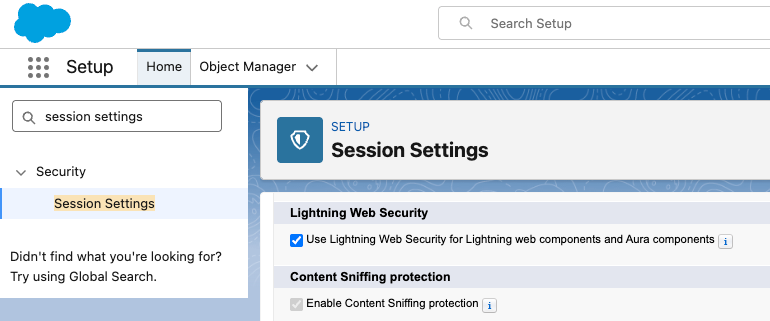
Ensure that Lightning Web Security is enabled under Setup in the Security > Session Settings section. Embedding our components will not work without this.
In your own LWC component, insert one or more instance of the three validation components as required.
Configure the EDQ components to suit your needs using the available attributes.
Create event handler functions to retrieve data from the event attributes such as onfieldchange.
Within your event handlers, pass all the relevant data to wherever it is needed. For example, populating a record or onto the next stage of your UI.
If you want to store validation statuses against your records that show up in the EDQ Record Detail component and/or standalone components, follow the instructions for creating a transaction log at the relevant point in your UI flow.
If you want to enrich your records with the additional data we offer, follow the instructions for configuring and using an Unbound Touchpoint.
These steps are covered in more detail over the coming pages in this section.